Two layouts
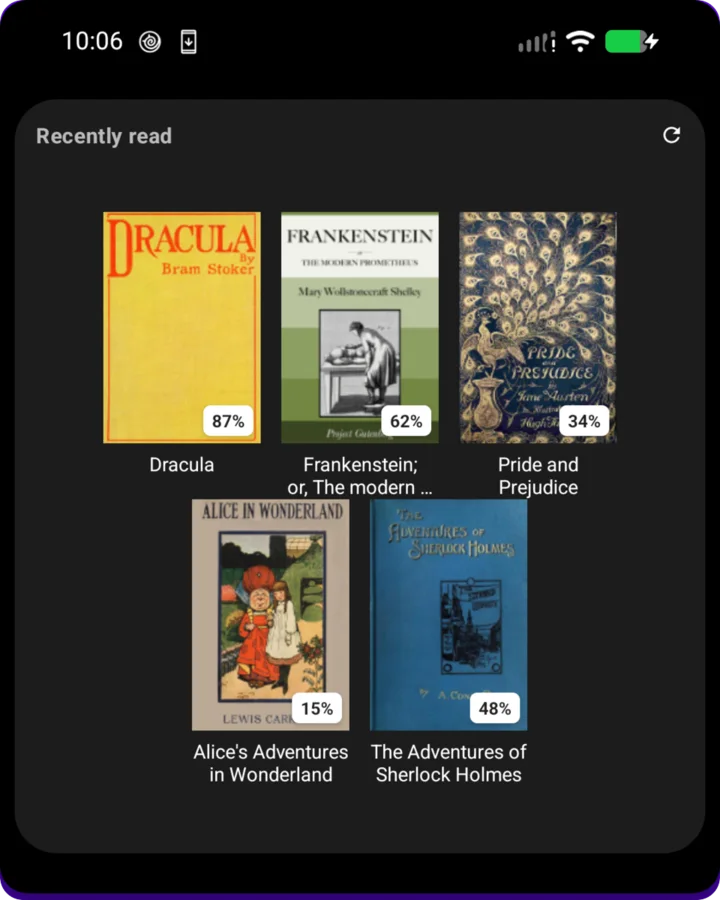
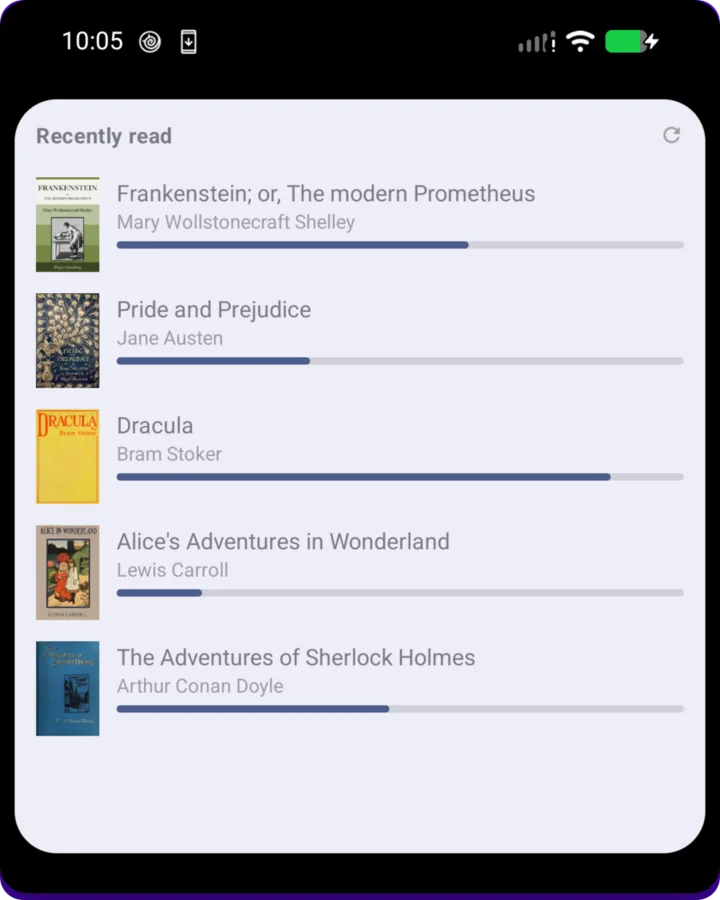
A tidy list view, or a row of book covers that turns your home screen into a little bookshelf.
REQUIRES KOReader for Android
See what you're reading in KOReader without opening it: recent books, covers and reading progress right on your Android home screen. Tap a book to jump straight back in.
$0.99, once.No ads · no account · no in-app purchases
How it works
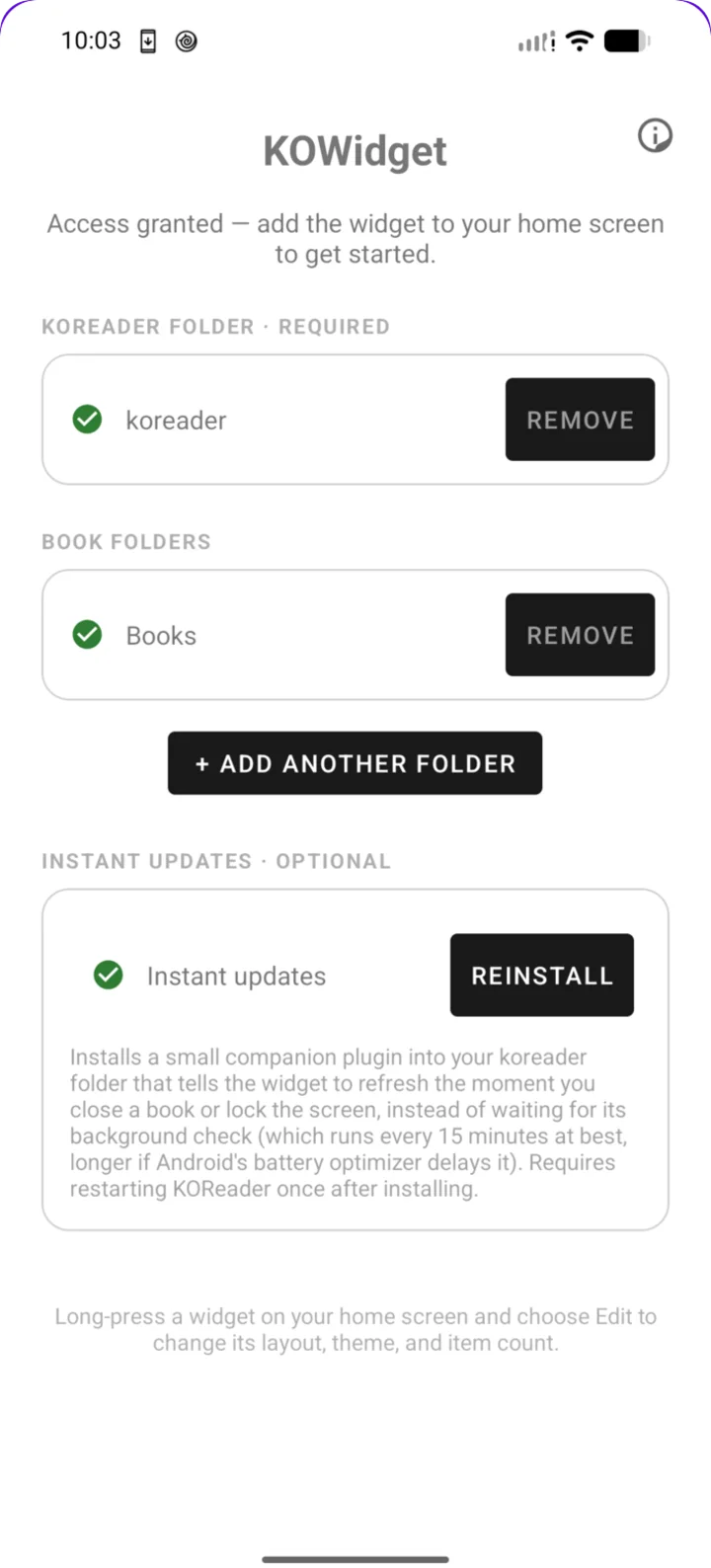
Pick your KOReader folder and your book folders in Android's own folder picker. KOWidget sees only what you choose, nothing else.
Long-press your home screen, choose Widgets, and drop KOWidget wherever you like. Pick a list or a row of covers.
Your recent books and progress are always one glance away, and a tap reopens the book in KOReader.
Install the small companion plugin from KOWidget's setup screen, and the widget refreshes the moment you close a book or lock your device.
Try it right here
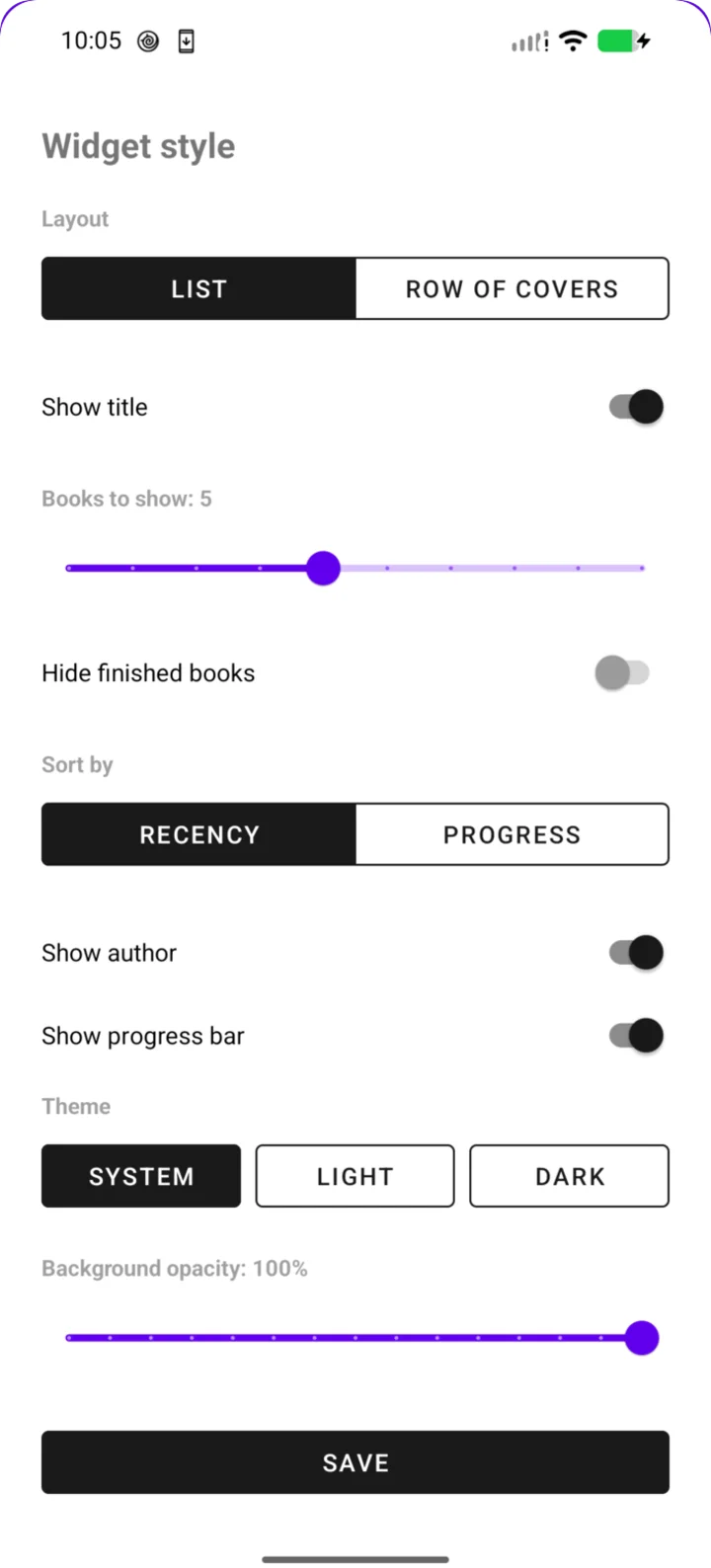
These are the same options you get in the app. Change them and watch the widget update, just like it does on your phone.
Widget features
Everything you need to keep your reading front and center on your home screen, and nothing you don't.
A tidy list view, or a row of book covers that turns your home screen into a little bookshelf.
Title, author, and a progress bar or percentage. Each one is optional.
Light, dark, or follow the system theme, with adjustable background opacity to suit your wallpaper.
Sort recent books by when you last read them, or by how far along you are.
Keep the shelf for what you're reading now, and choose exactly how many books to show.
One tap on a book reopens it in KOReader, right where you left off.
Long-press the widget to change its layout, theme and item count whenever you like.
An optional KOReader plugin refreshes the widget as soon as you close a book.
Instant updates
KOWidget works on its own out of the box. Add the tiny companion plugin and it never lags behind your reading.
The widget refreshes on a background check that runs every 15 minutes at best. It can take longer if Android's battery optimizer delays it.
Install the companion plugin from KOWidget's setup screen (restart KOReader once). It refreshes the widget the moment you close a book or lock your device, using a local, on-device signal only.
Private by design
KOWidget reads KOReader's reading history and your book files only on your phone or tablet, and only to draw the widget. Nothing is uploaded, tracked or shared. Read the full privacy policy.
Access comes from Android's system folder picker. No broad storage access, and you can revoke it at any time.
KOWidget never changes your books or your KOReader settings.
No analytics, no advertising SDKs, nothing sent over the internet.
No sign-in, no email. Install it, grant your folders, done.
Screenshots
Questions
The Android version of KOReader, with at least one book opened so it has reading history. KOWidget is a companion: it doesn't open or manage books itself.
Open a book in KOReader first, then return to the home screen. Installing the optional companion plugin makes updates instant.
By default the widget refreshes on a periodic background check, which runs every 15 minutes at best and can take longer if Android's battery optimizer delays it. With the optional companion KOReader plugin, installed from KOWidget's setup screen, the widget refreshes the moment you close a book or lock your device.
It works on Android launchers that support home-screen widgets. If your device's launcher doesn't support widgets, KOWidget can't place a widget there.
No. It only reads. The optional plugin only sends a local refresh signal to the widget.
Only the folders you choose in Android's system folder picker: your KOReader folder (for its reading history) and your book folders (for titles, authors and covers). It can't see any other files, and you can revoke access at any time. Nothing is uploaded, tracked or shared. See the privacy policy.
KOWidget is a one-time purchase on Google Play ($0.99 in the US; local prices vary). There are no ads, no in-app purchases and no account.
No. KOWidget is an independent, unofficial companion app by Widgets & Creative Solutions. It is not affiliated with, endorsed by, or sponsored by the KOReader project.

$0.99 once. No ads, no account, no in-app purchases.