Appointments
Keep visits with notes and a “questions to ask” checklist, so nothing slips your mind in the waiting room. Discreet reminders before each one.
Private pregnancy tracker for Android
HushNine follows every week, kick and contraction without ever touching the internet. No account, no ads, no analytics. Nothing to upload, because it can't.

Pay once. Keep it.No subscription · no in-app purchases
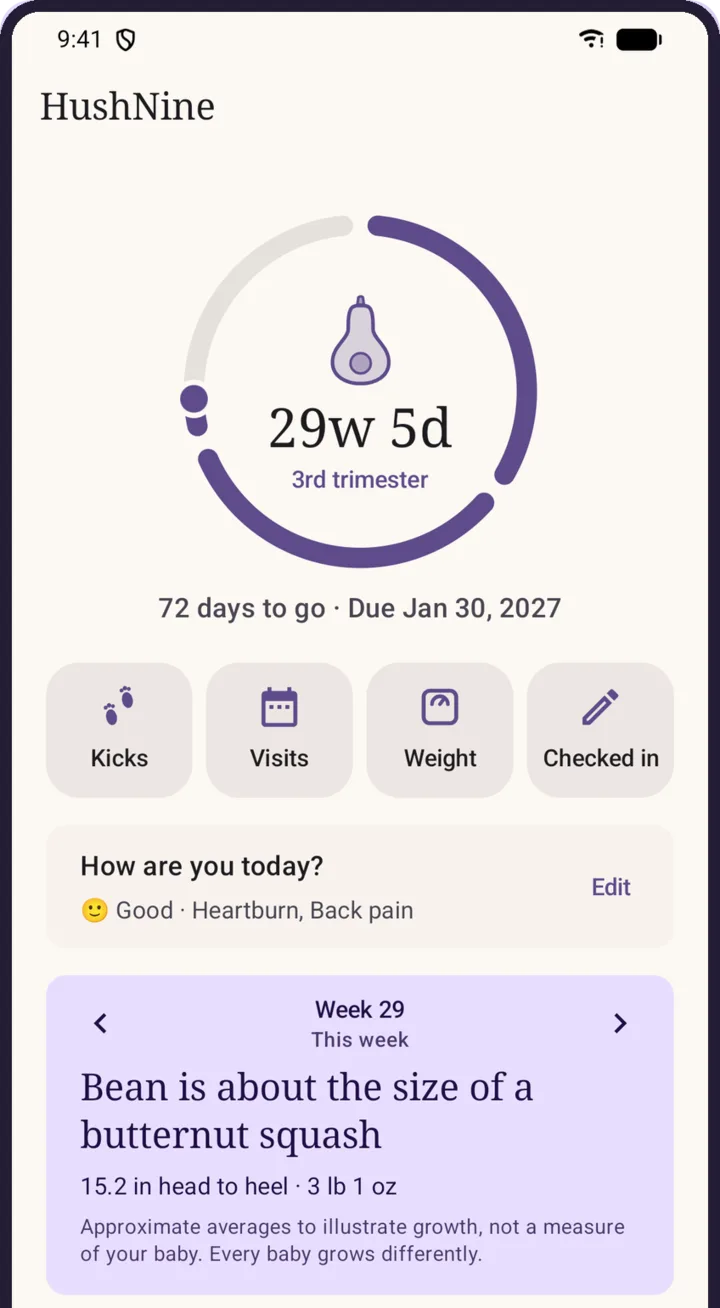
Privacy you can verify
Some pregnancy apps have shared what people record about their pregnancies with advertising and analytics companies. HushNine is built so that can't happen. It doesn't have Android's internet permission, so it has no way to send your data anywhere: not to us, not to advertisers, not to anyone.
And because we never receive your records, there's nothing for us to sell, leak, or hand over in response to a data request. Don't take our word for it. Open the Privacy check screen in the app, or look under “App permissions” on the Google Play listing.
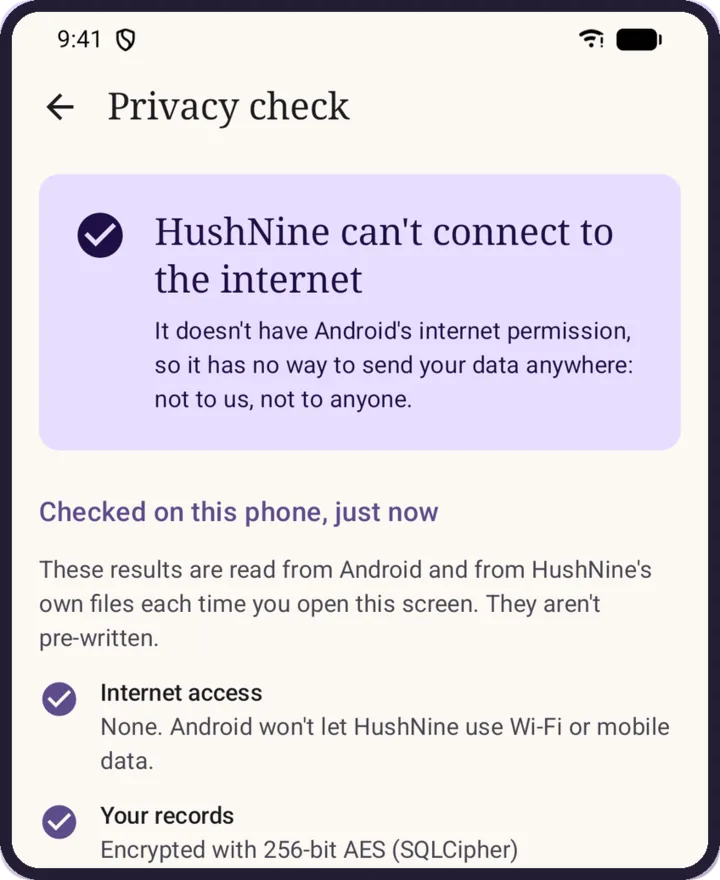
Everything in one quiet place
A week-by-week guide, due date calculator, symptom tracker, kick counter, contraction timer and weight tracker, all working fully offline.
01 · WEEK BY WEEK
Your baby's development, your body, and a practical tip for every week from 4 to 42.
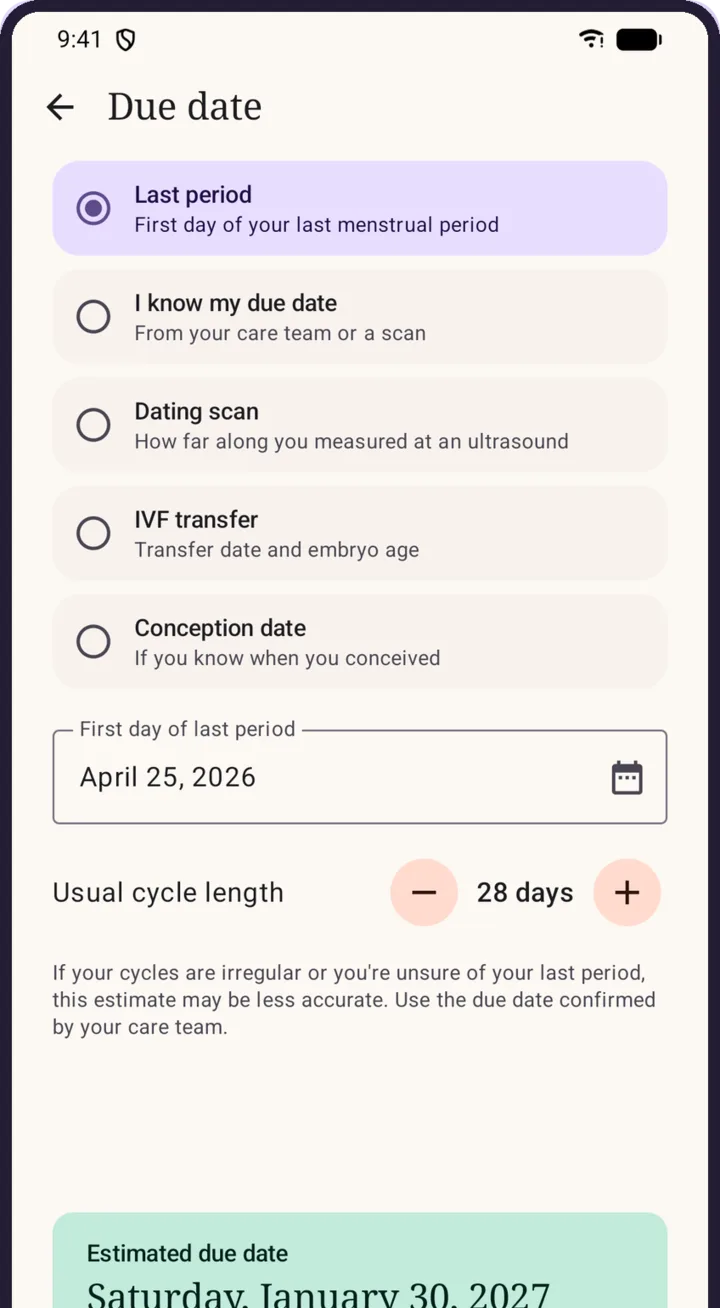
02 · DUE DATE CALCULATOR
Calculate your due date the way that fits your pregnancy, or simply enter the one your care team gave you.
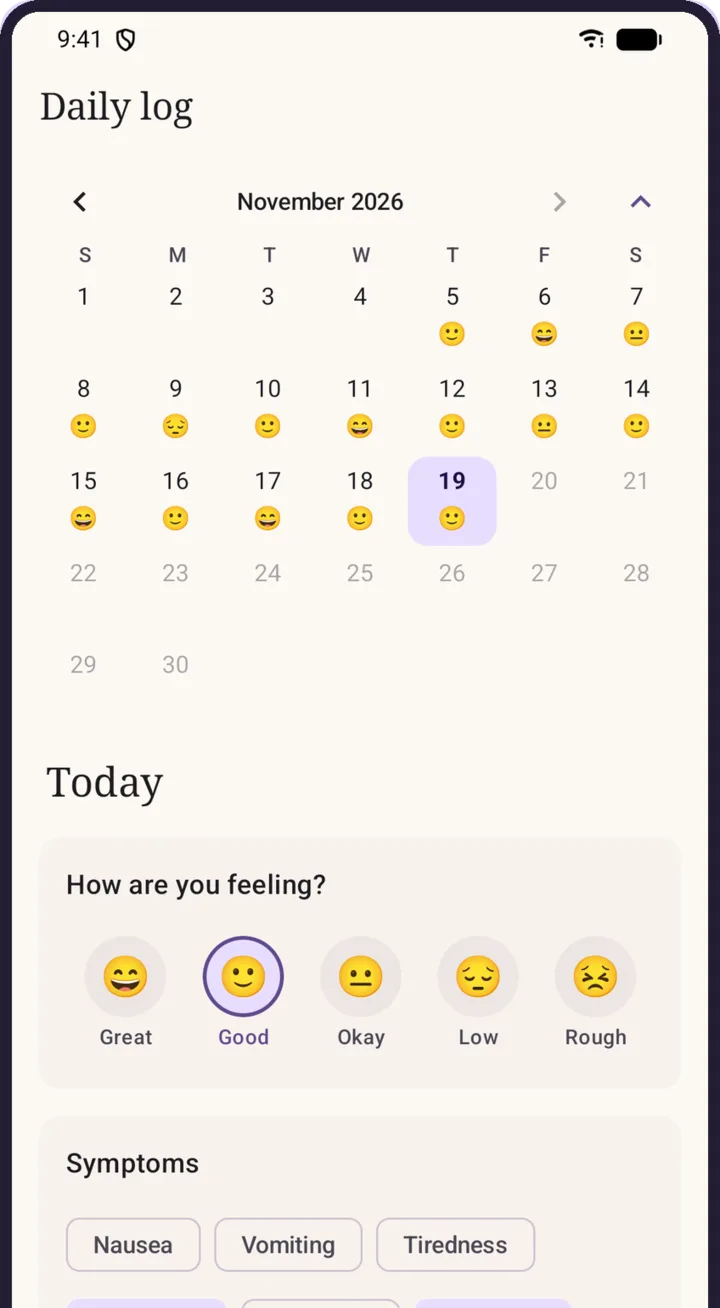
03 · DAILY LOG & SYMPTOM TRACKER
A gentle daily check-in that takes seconds, and notes that nobody else will ever read.
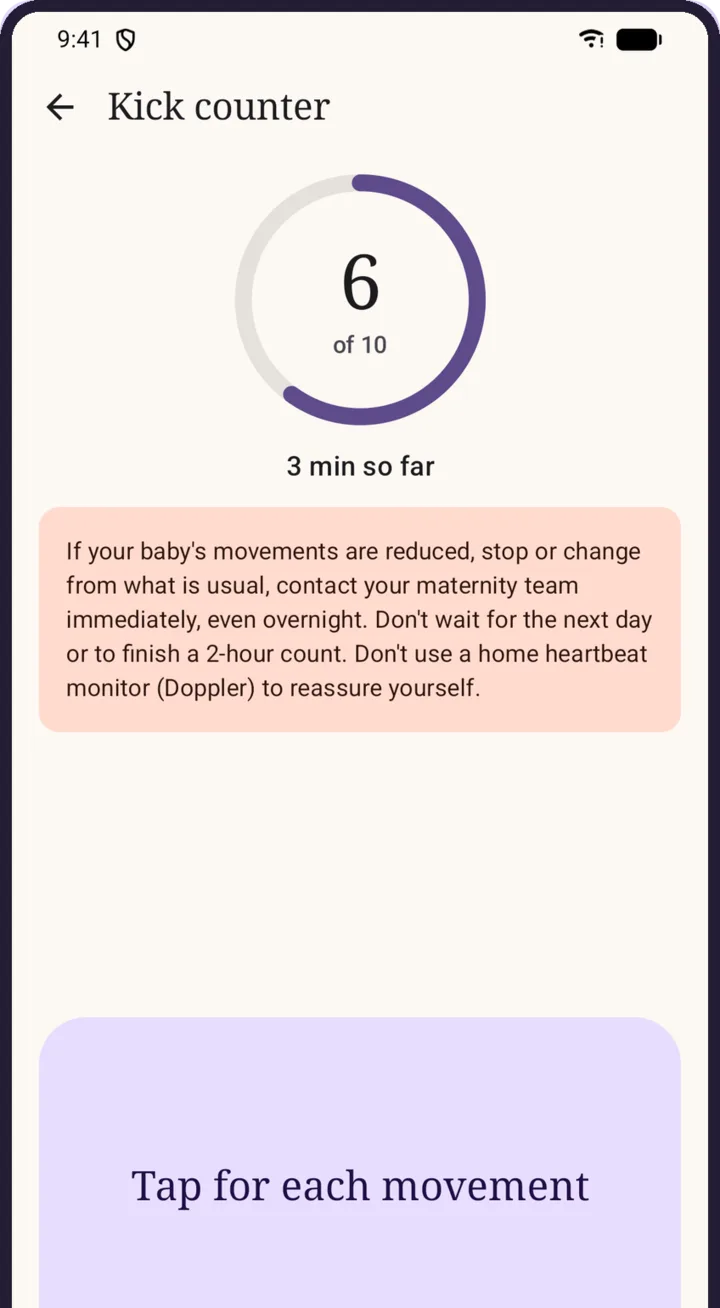
04 · KICK COUNTER
A big, easy tap target for each movement, with undo and a history of every session.
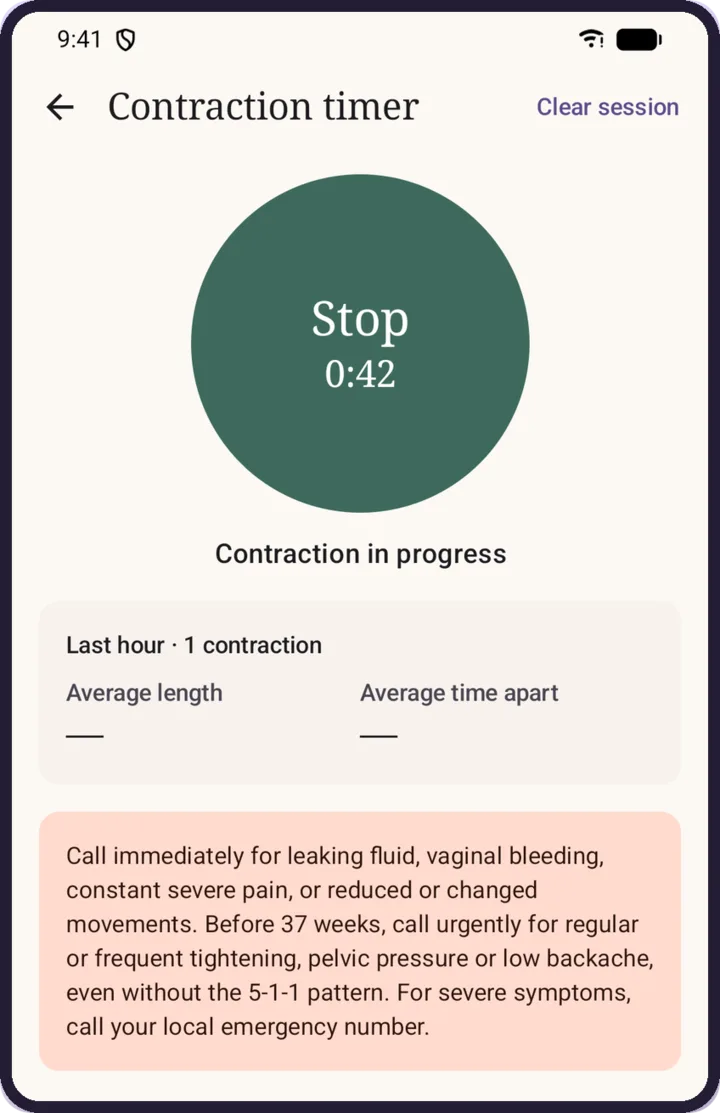
05 · CONTRACTION TIMER
Start and stop with a single tap. HushNine shows the length, the time apart and a last-hour summary.
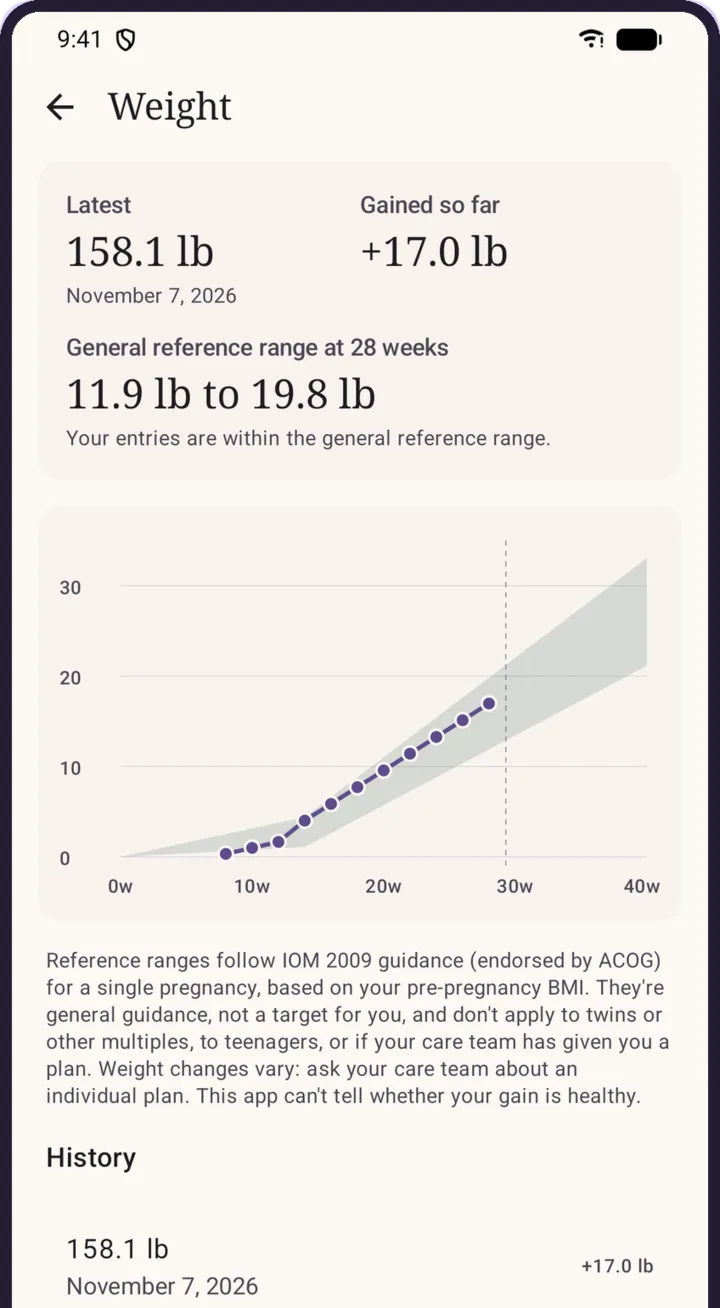
06 · PREGNANCY WEIGHT TRACKER
A chart with the IOM general reference range for your pre-pregnancy BMI, in kg or lb.
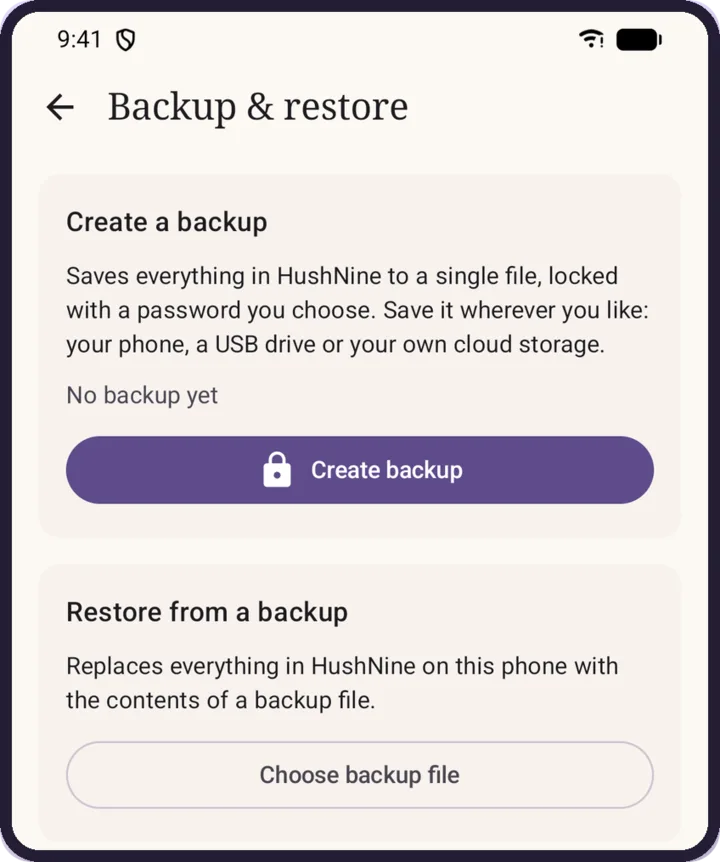
07 · ENCRYPTED BACKUP
Save one encrypted file wherever you choose (your phone, a USB drive or your own cloud folder), locked with a password only you know. Restore it on your next phone.
And the details that matter
Keep visits with notes and a “questions to ask” checklist, so nothing slips your mind in the waiting room. Discreet reminders before each one.
Optionally ask for your fingerprint, face or screen lock every time HushNine opens, or after a timeout you choose.
On by default: HushNine is hidden in the recent-apps view, and screenshots and screen recordings are blocked.
Reminders show no details on your lock screen unless you turn them on. A glance at your phone gives nothing away.
Erase everything instantly from Settings. HushNine also opts out of Google's automatic cloud backup, so no copies end up anywhere you didn't choose.
Works fully offline. Light and dark themes, Material You colors, large text and TalkBack support, metric or imperial units.
If a pregnancy ends in loss, HushNine stops all pregnancy updates and reminders straight away, lets you keep or delete your records, and points you to support organizations.
When your baby arrives, you can record the birth and keep your records safe, privately, for as long as you want them.
Side by side
Most pregnancy apps are free, and that's not an accident. Here's what changes when the app is the product, not you.
| Feature | HushNine | Typical free pregnancy app |
|---|---|---|
| Internet access | None, by design | Required |
| Account | Not needed | Usually email or sign-in |
| Where your records live | Only on your phone, encrypted | Often on company servers |
| Ads, analytics & trackers | None | Common |
| Backups | Encrypted with your own password | Held by the company |
| How it's paid for | One-time purchase | Ads, data or subscriptions |
General comparison; individual apps vary. Check any app's permissions and data safety section on Google Play.
Questions
No. HushNine doesn't have Android's internet permission, so it has no way to send your data anywhere: not to us, not to advertisers, not to anyone. There's no account, no analytics, no ads and no trackers. Everything you record stays in encrypted storage on your phone. Read the full privacy policy.
Open the Privacy check screen inside the app, which reads the app's permissions straight from Android. You can also look under “App permissions” in the “About this app” section of HushNine's Google Play listing. Internet access isn't on the list.
No. HushNine never asks for your name, email or phone number. Install it and start tracking.
HushNine is a one-time purchase on Google Play ($6.99 in the US; local prices vary). There's no subscription, no in-app purchases and no ads, and future updates are included.
Yes. The due date calculator works from an IVF transfer date (day 3, 5 or 6 embryo), as well as from your last period with your cycle length, a conception date, a dating scan, or the due date your care team gave you.
Create an encrypted backup in HushNine and save the file wherever you like: your phone, a USB drive or your own cloud folder. It's locked with a password only you know. On the new phone, install HushNine, choose Restore and enter your password. HushNine also opts out of Android's automatic Google cloud backup, so your records are never copied anywhere without you knowing.
It can't be recovered. The password is stored nowhere, so nobody, including us, can open that backup without it. Keep it somewhere safe.
HushNine stops all pregnancy updates and reminders straight away, lets you keep your records privately or delete them, and points you to support organizations.
No. HushNine shares general information for education and does not diagnose, treat, cure or prevent any medical condition. No one monitors what you enter. Always follow your care team's advice, and in an emergency call your local emergency number. See the terms of use.

One payment. No subscription, no in-app purchases, no ads. Future updates included.